StateTree Tools
Ready-made StateTree tools for Unreal Engine 5
Project maintained by StateTreeTools Hosted on GitHub Pages — Theme by mattgraham
Showcase: Patrol AI
A simple AI built entirely with Unreal StateTree and StateTree Tools — no Blueprint or C++ required. The AI patrols by moving to random positions, chases the player when it sees them, and plays a hit animation when it catches up.
Watch the showcase video on YouTube
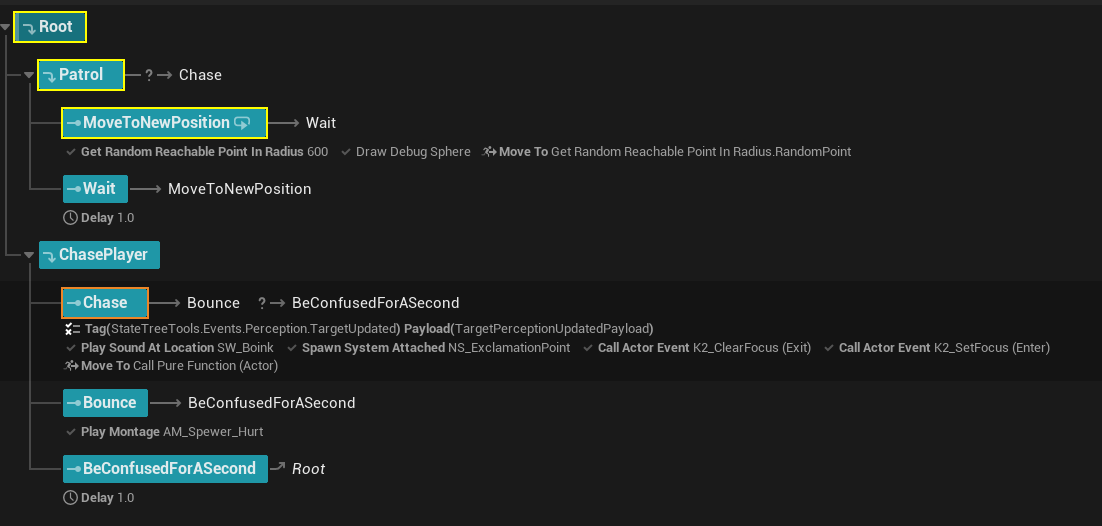
Call Actor Event
Call Actor Event lets you call any event or function on an actor or any of its components directly from a StateTree state. Set the actor, and the actor’s class is determined automatically. Then pick the event from a searchable dropdown. Here, K2_SetFocus is called on enter, with the New Focus parameter bound to the perceived actor from the perception event payload.
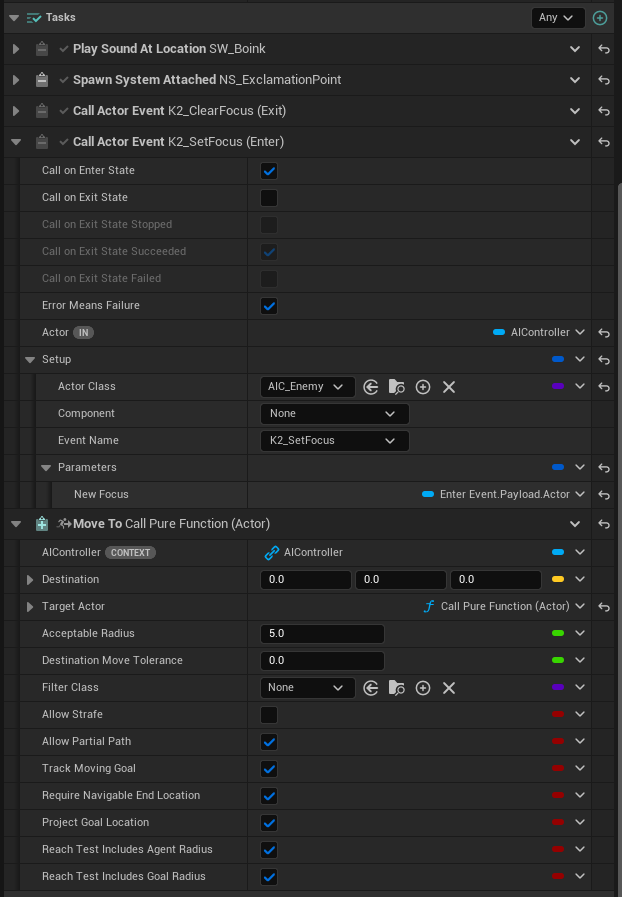
Any event or function you have written in Blueprint or C++ will also appear in the list. For example, switching to K2_SetActorLocation exposes its own parameters inline:
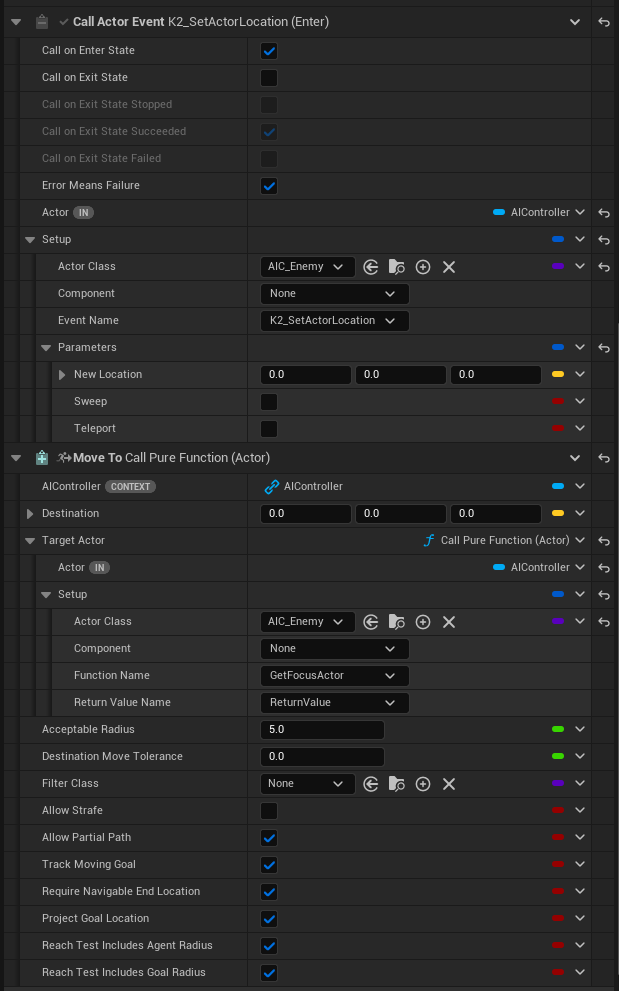
You can also configure when the event fires — on enter, on exit, or both. Here K2_ClearFocus is called on exit to clear the AI’s focus when the Chase state ends:
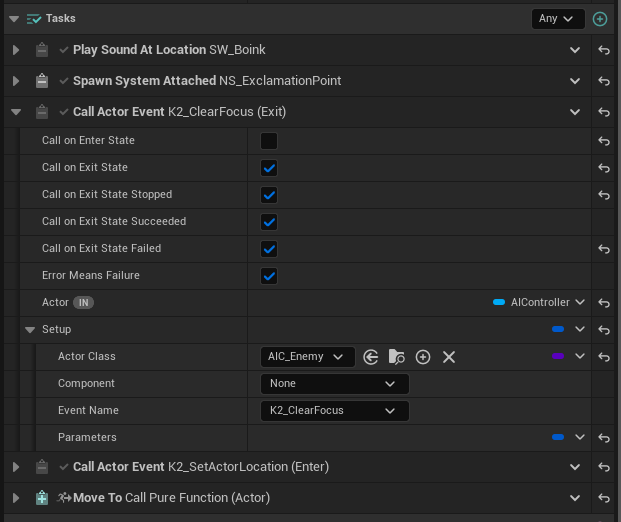
Tasks are started top-down but stopped bottom-up. The ClearFocus task sits above Move To so that Move To stops first and ClearFocus fires after.
There are also tasks for Call Actor Delegate and Set Actor Property:
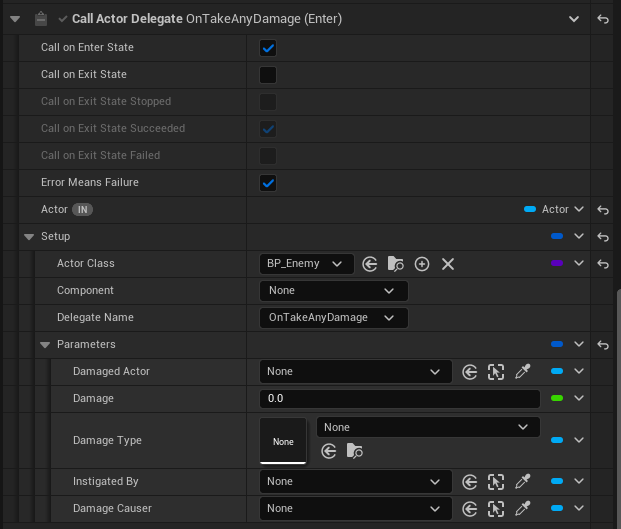
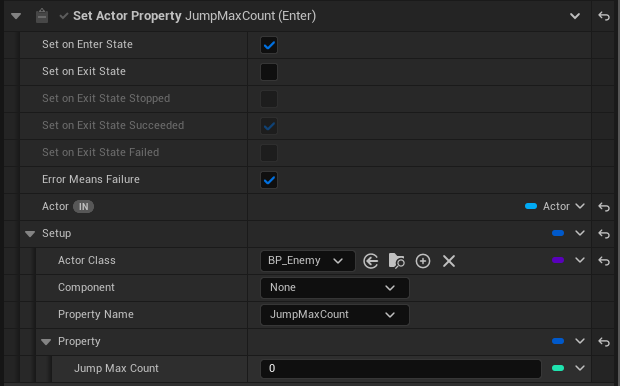
Call Pure Function
Call Pure Function is a property function — it calls any BlueprintPure function on an actor or its components and exposes the return value as a binding anywhere a value can be bound in the StateTree editor. Here the Move To task’s Target Actor is bound to GetFocusActor on the AI Controller, so it always chases whoever has focus without needing to store the reference manually:
Start Action And Wait
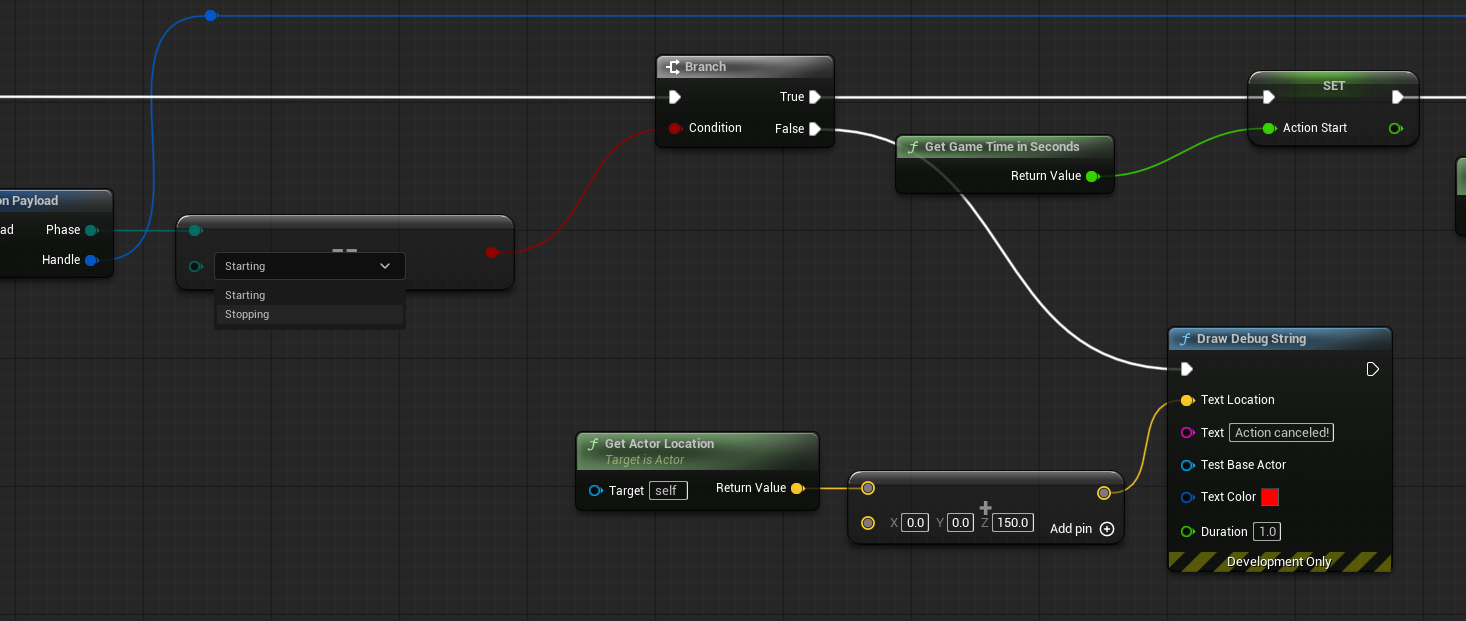
For cases where you want to write Blueprint logic, Start Action And Wait lets you tie that code into the StateTree without writing any glue code.
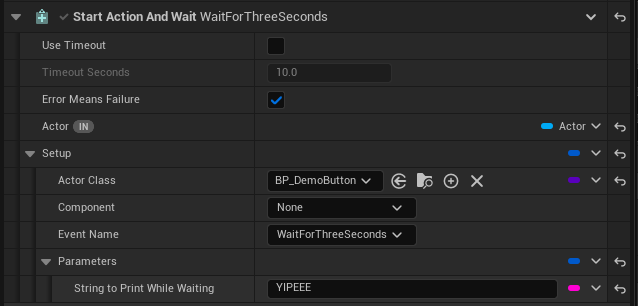
Create a Blueprint event whose first parameter is a StateTreeToolsActionPayload. Start Action And Wait calls that event, passes through any additional parameters, and keeps the task running until your Blueprint calls Finish Action:
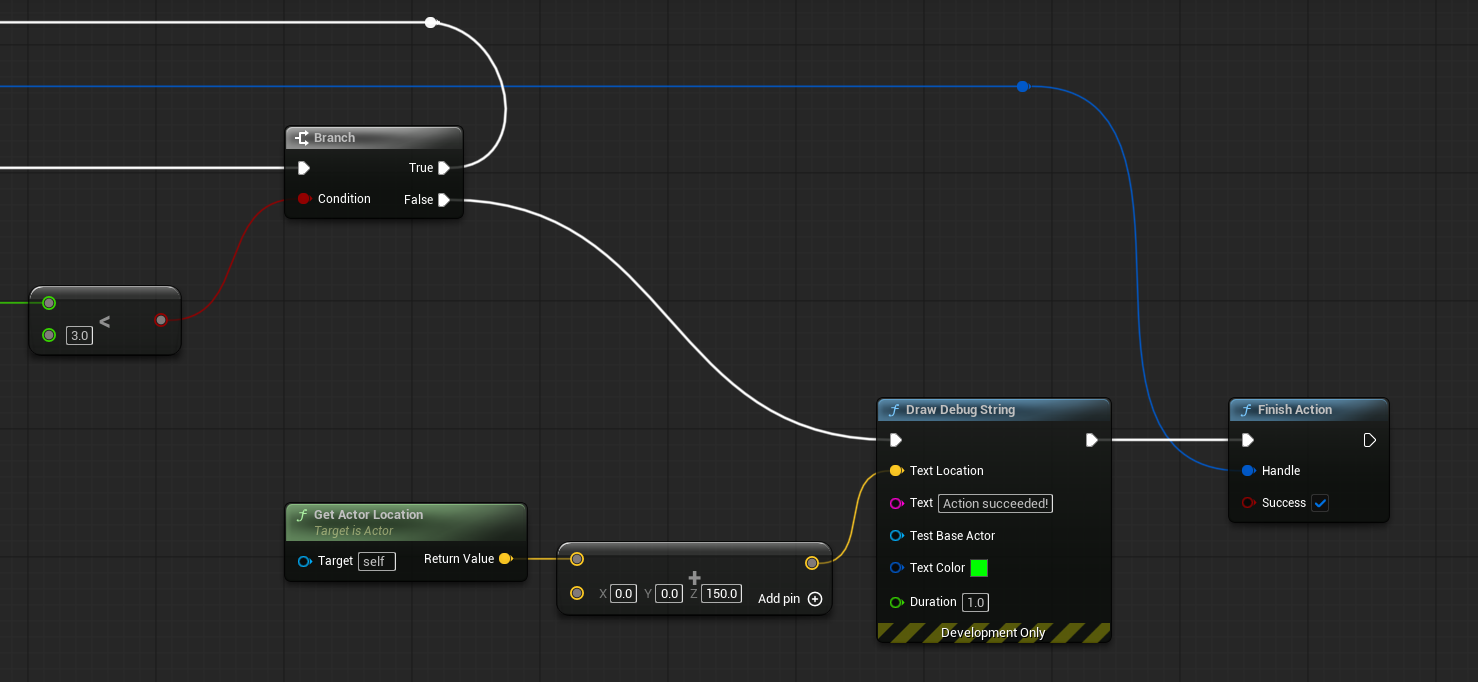
The payload has a Phase field — Starting or Stopping. If the state transitions out before Finish Action is called, the event fires again with Phase = Stopping so you can clean up:
Perception
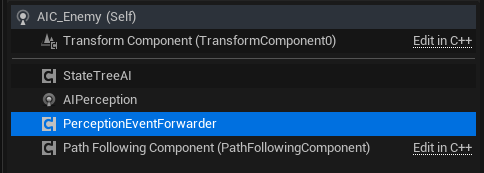
The AI uses Unreal’s standard AI Perception system. To get those events into the StateTree, add a Perception Event Forwarder component alongside the AIPerception component on the same actor:
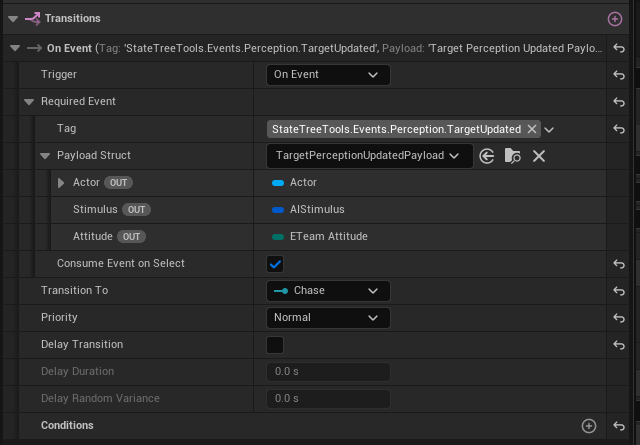
The component automatically forwards all perception events to any StateTree components on the same actor. A transition on the Patrol state listens for the forwarded event and carries the full payload — Actor, Stimulus, and Attitude — as bound outputs for downstream tasks:
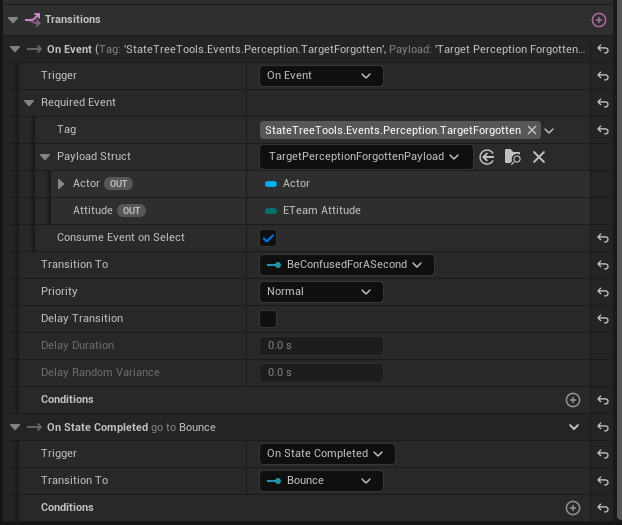
The Chase state transitions out when perception is lost or when Move To completes:
Patrol
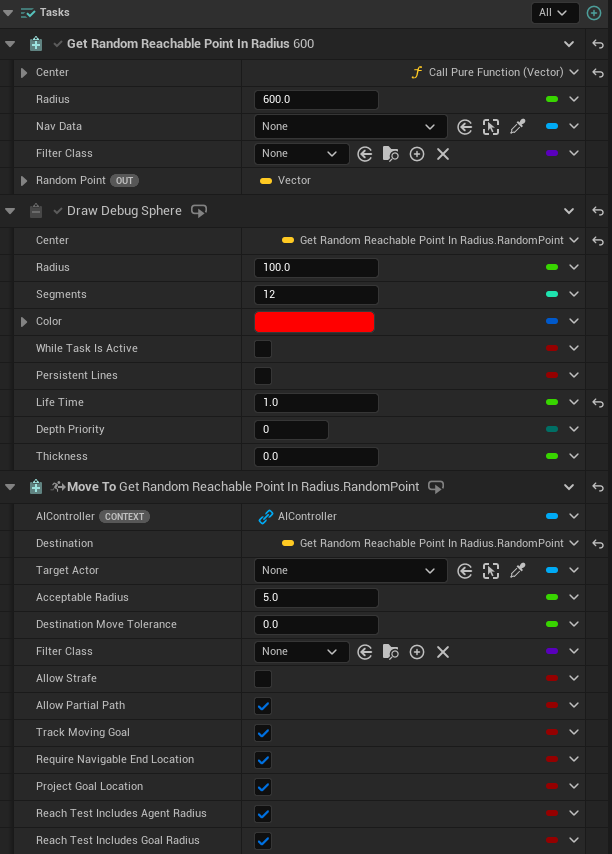
The MoveToNewPosition state uses three tasks:
- Get Random Reachable Point In Radius — finds a random navigable point and exposes it as an output variable.
- Draw Debug Sphere — visualises the target point. All Draw Debug utilities are available through the plugin.
- Move To — the standard Unreal Move To task, with its Destination bound to the output above.
Chase state
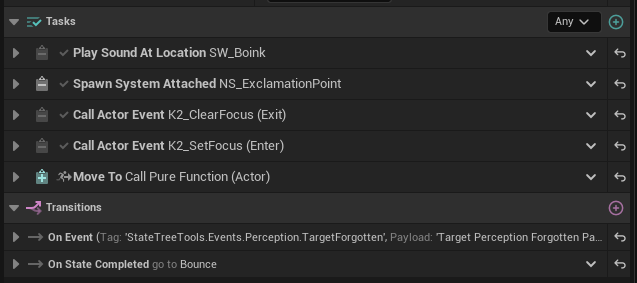
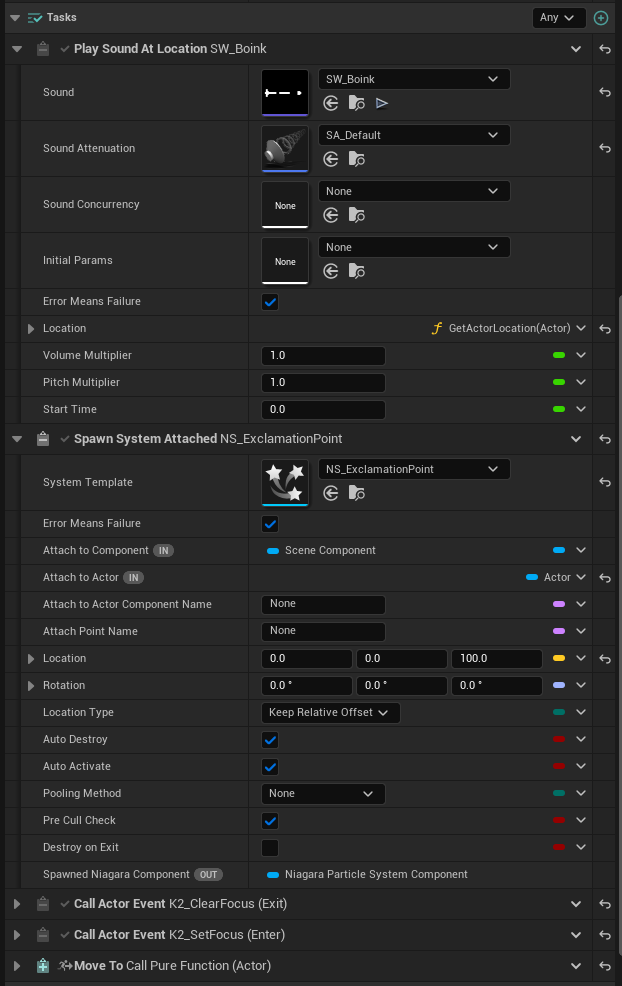
On entering Chase, Play Sound At Location fires a sound and Spawn System Attached spawns a Niagara particle system. The Niagara task completes when the particle system finishes. If the state exits early you can configure whether particles are killed immediately or allowed to complete.
Play Montage
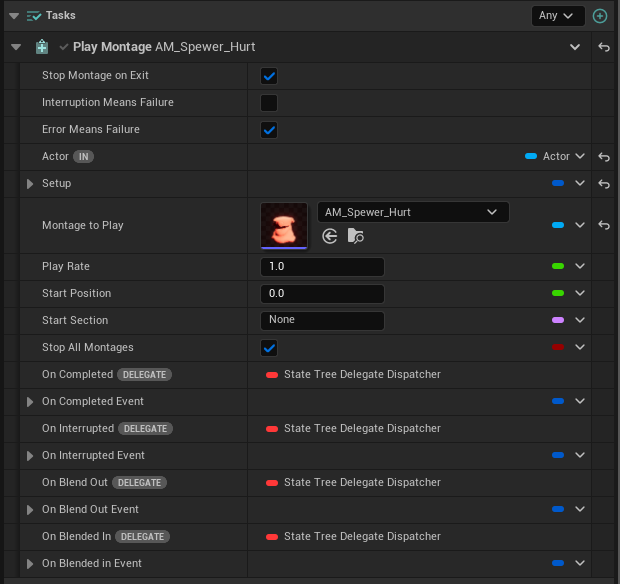
The Bounce state plays a Play Montage task and completes when it finishes, at which point the tree returns to Patrol.